Microsoft Designer
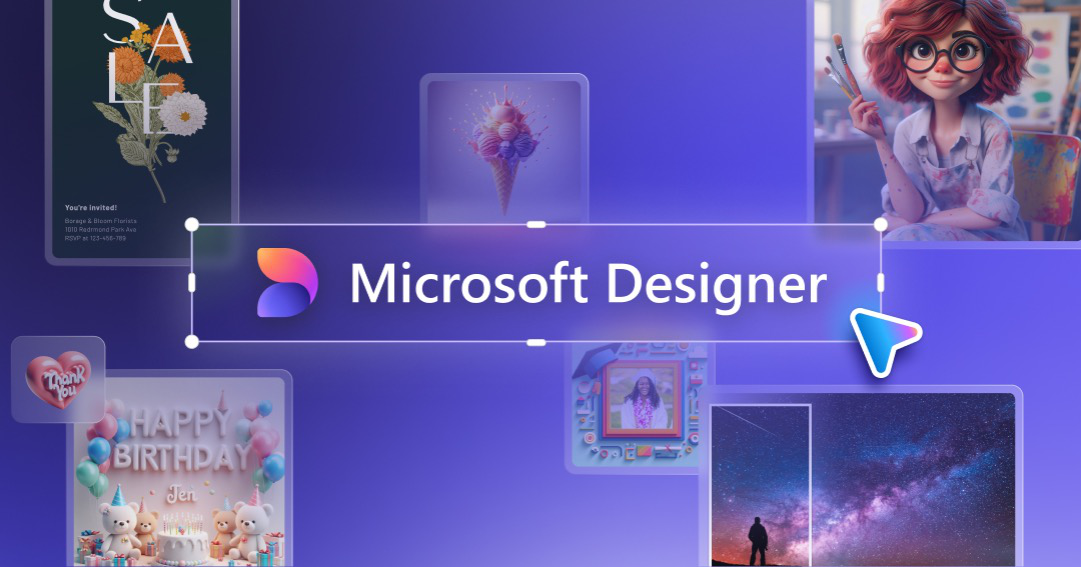
AI-powered design for everyone, effortlessly creating stunning visuals from your ideas.
Executive Summary
Microsoft Designer is an AI-driven graphic design platform that empowers individuals, small businesses, and marketing professionals to create professional-quality visuals with ease. Leveraging generative AI like DALL-E and Copilot, it transforms text prompts and existing media into unique designs, social media posts, invitations, and more. Its key business value lies in democratizing design, enabling users without extensive design experience to produce captivating content quickly and efficiently, differentiating itself through deep integration with the Microsoft 365 ecosystem and intuitive AI assistance.
Use Cases
- Creating engaging social media posts and stories. [3, 4, 5]
- Designing personalized invitations and greeting cards for events. [3, 4, 5]
- Generating marketing banners and digital ads. [3]
- Producing visual content for presentations and documents. [4, 18]
- Editing and enhancing photos for various projects. [3, 5]
- Developing brand-consistent visuals for small businesses. [3]
Features
Visibility
- Design History & Management: Access and manage all previously created designs, allowing for easy retrieval, editing, and version control. [2]
- Template Library: Explore a comprehensive collection of professionally designed templates for various purposes, including social media, presentations, and marketing materials. [6]
- Brand Kit Integration: Create and apply custom brand kits (logos, fonts, colors, brand voice) to ensure consistency across all designs. Note: This feature is being deprecated as of Oct 2025. [3, 4]
Intelligence
- Text-to-Image Generation: Generate unique images from descriptive text prompts using DALL-E, enabling rapid visual content creation. [3, 4]
- AI-Powered Design Suggestions: Receive intelligent recommendations for layouts, visual elements, and text based on the content and context of the design. [6]
- Background Removal & Image Editing: Automatically remove image backgrounds, erase unwanted objects, and upscale images for improved resolution with AI assistance. [3, 5]
- AI-Generated Captions & Hashtags: Utilize AI to suggest relevant captions and hashtags for social media posts, optimizing content for engagement. [2]
Support
- In-App Feedback & Reporting: Users can provide direct feedback, report issues, and suggest improvements within the Designer application. [3]
- Online Community & Social Channels: Access to Microsoft Designer community groups on platforms like LinkedIn and social media channels for support and engagement. [3]
- Tutorials & Guides: Extensive online resources, including video tutorials and beginner's guides, to help users learn and master the platform. [1]
Technical Specifications
- Architecture
- Cloud-native SaaS
- Deployment
- Cloud/SaaS
- Authentication
- Microsoft Account (personal), Azure AD (future for organizations)
- API Available
- No
- MCP Server
- No
Infrastructure
- Azure
AI/ML Stack
- NLP
- Machine Learning
- Computer Vision
- LLM
Security & Compliance
Certifications: SOC 2 Type II, ISO 27001, GDPR
Encryption: AES-256 at rest, TLS 1.3 in transit (inferred from Microsoft standards)
Pricing
- Model
- Freemium with Microsoft 365 integration
- Starting Price
- Free (with some features requiring Microsoft 365 subscription)
- Target Customer
- SMB, Individuals, Marketers
- Contract Type
- Subscription (for Microsoft 365 features)
- Free Trial
- Yes, Ongoing free access (with limitations) (credit card required)
Ratings & Reviews
G2: 4.3/5
About Microsoft
Microsoft Corporation is an American multinational technology conglomerate headquartered in Redmond, Washington. Founded in 1975, the company is a key player in the computer industry, known for its software, hardware, and services. It has expanded into areas such as cloud computing, artificial intelligence, video gaming, and Internet services.
Alternatives to Microsoft Designer
- Online Reputation Management by Zonka — Track reviews, respond fast, and boost your brand reputation.
- Venue Live by Verbit — Enhances accessibility for conferences, ceremonies, and sports stadiums with live solutions.
- Adobe Illustrator by Adobe — Gorgeous graphics, designed by you.
- Agency+ by Paperform — Manage and scale forms for multiple clients and brands with white-labeling and streamlined workflows.
- AskNicely Reputation by AskNicely — Amplify customer experience and acquire more new customers online with powerful reputation management.
- Chatbeat by Brand24 — Optimize your brand's visibility and representation in AI chatbots.
- G2 Marketing Solutions by G2 — Drive growth and engage in-market buyers using G2's platform and intent data.
- Kittl by Kittl — AI-powered graphic design platform for stunning visuals, typography, and vector art.